
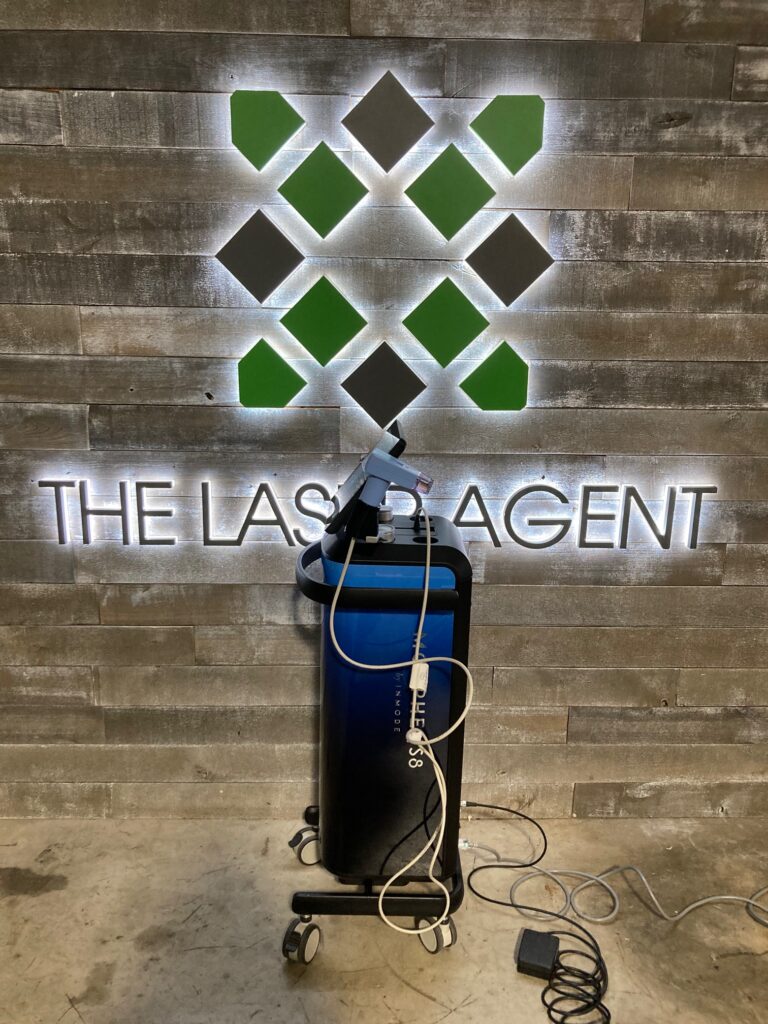
 What happens when the used laser you bought works perfectly, but the handpiece, software, cooling unit, or electrical setup you planned to use with it does not?
The system may be functional and still require more money, more equipment, or more setup before it can enter your treatment schedule. That can turn what looked like a strong purchase into an unexpected expense.
Compatibility is therefore worth checking before comparing used medical lasers for sale by price alone. This guide explains which parts of a laser setup need to work together, where compatibility problems commonly appear, and what to verify before committing to a system.
Compatibility Starts With the Treatment You Plan to Offer
A laser should not be evaluated only by its brand or model. Start with the treatment that brought the system onto your shortlist.
Hair removal, vascular treatments, tattoo removal, resurfacing, pigmentation, and other applications can require different wavelengths, handpieces, spot sizes, scanners, cooling methods, or accessories.
Even systems from the same product family can be configured differently.
One unit may include the components needed for several applications, while another used system of the same model may have a much smaller package. The console name alone does not confirm what treatments the equipment can perform in its current configuration.
Before comparing systems, identify:
- Treatments the practice plans to offer
- Wavelengths required for those applications
- Handpieces or applicators needed
- Spot sizes used for common treatment areas
- Cooling requirements
- Required consumables
- Provider and room requirements
This gives you something more useful to compare than model names.
Handpiece Compatibility Can Change What the System Can Actually Do
Handpieces are one of the first areas to check because they can determine which applications are available from the base system.
A console may support several attachments, but that does not mean every handpiece from that manufacturer will work with it.
Compatibility can depend on the exact model, generation, connector, software version, wavelength, and system configuration.
Similar-Looking Handpieces Are Not Necessarily Interchangeable
A manufacturer may use similar housings or connectors across several generations of equipment. That does not guarantee that an older handpiece can simply be moved to a newer console or vice versa.
The system may fail to recognize it. The software may not support it. Energy parameters may differ. A separate license or hardware component may also be required.
This becomes especially important when a practice already owns equipment from the same manufacturer and plans to share attachments between systems.
Confirm compatibility before assuming an existing handpiece can reduce the cost of the purchase.
Missing Handpieces Can Change the Economics of the Deal
Suppose a multi-application platform is priced attractively but does not include the handpiece required for the service you plan to add.
The purchase is not treatment-ready.
The cost of finding the correct attachment, having it inspected or serviced, and confirming that it works with the system needs to be added to the equipment price.
A more expensive unit that already includes the correct handpieces may ultimately require less money to put into service.
Wavelength Compatibility Determines More Than the Treatment Name
Two systems advertised for the same general treatment category may not provide the same wavelength options.
That matters because wavelength affects how the laser interacts with its intended target and which applications the platform was designed to support.
Hair-removal systems, for example, may use Alexandrite, diode, Nd:YAG, or a combination of wavelengths. Tattoo-removal platforms can use several wavelengths to address different ink colors. Vascular and pigment systems also vary considerably in wavelength and pulse characteristics.
The question is not simply:
“Does this machine perform hair removal?”
It is:
“Does this exact configuration provide the wavelength and treatment setup our practice intends to use?”
That distinction prevents a broad equipment category from being mistaken for a specific treatment capability.
Software Can Determine Which Features Are Available
Physical compatibility is only part of the picture.
Some medical and aesthetic platforms rely on software to recognize handpieces, enable treatment modes, store protocols, or support later hardware.
A used system may be running an older software version that still supports its existing configuration but not an attachment the practice wants to add.
Before purchasing, confirm:
- Current software version
- Treatment modes currently enabled
- Whether included handpieces are recognized
- Whether planned accessories require an update
- Whether updates remain available for that generation
- Whether licenses or activation are required
- Whether software access transfers with ownership
Software limitations are easy to overlook because they may not be visible in listing photos.
Finding them after delivery can delay the launch of the service the system was purchased to provide.
Consumables Need to Match the Exact Platform
Some equipment depends on treatment-specific consumables.
These can include:
- Disposable tips
- Cartridges
- Treatment cards
- Fibers
- Lamps
- Filters
- Membranes
- Cooling supplies
- Protective windows
- Single-use applicator components
A used system may have an attractive purchase price while requiring a consumable that is expensive, difficult to source, or no longer readily available.
Check the exact part number or consumable specification rather than assuming a newer version will fit an older generation.
Availability matters just as much as compatibility. A compatible tip is of little practical value if it cannot be sourced consistently enough to support the appointment schedule.
Cooling Systems Need to Match the Laser Setup
Cooling can be integrated into the handpiece, built into the console, or provided by separate equipment.
The setup varies considerably between platforms.
A system may use contact cooling, cryogen spray, chilled air, water circulation, vacuum assistance, or another method designed around the treatment.
When reviewing used medical lasers for sale, find out exactly what the system requires and what is included.
If an external cooling unit is needed, check:
- Compatibility with the intended treatment
- Electrical requirements
- Hose and connector condition
- Available room space
- Maintenance needs
- Whether the cooling unit is included in the purchase
The laser may be ready to fire while the treatment room is still missing another piece of equipment needed for the intended workflow.
Electrical Compatibility Can Stop Installation Before the First Appointment
A laser that worked at its previous location may not be ready to plug into the next one.
Professional medical and aesthetic equipment can have specific electrical requirements. Depending on the system, the room may need a particular voltage, amperage, outlet, circuit, or other electrical setup.
This becomes especially important when equipment is moved between facilities or purchased from another market.
Before shipping, confirm the manufacturer’s requirements for the exact unit and have the treatment room evaluated by an appropriate professional when needed.
Waiting until delivery can create:
- Installation delays
- Additional electrical work
- Rescheduled training
- Canceled launch appointments
- Extra movement or storage of the system
Electrical preparation belongs in the equipment budget before the laser is purchased.
Room Compatibility Matters Too
The machine also has to work physically within the treatment space.
A large platform can fit on a floor plan and still create problems once the treatment bed, provider, assistant, stool, supplies, and handpieces are added.
Measure:
- Treatment-room dimensions
- Doorway width
- Hallway and elevator clearance
- Equipment footprint
- Required operating clearance
- Handpiece storage
- Cooling equipment space
- Provider movement around the bed
Weight may also matter when equipment has to be moved through elevators, ramps, or other restricted areas.
These checks are particularly important for older platforms, which may have a larger footprint than newer equipment designed for tighter treatment rooms.
Accessories Can Be Small but Expensive to Replace
A used laser for sale listing may focus heavily on the console and main handpiece while smaller components receive little attention.
Those pieces can still determine whether the system is complete.
Depending on the platform, check for:
- Foot pedals
- Keys
- Distance gauges
- Spot-size adapters
- Handpiece holders
- Filters
- Lightguides
- Fibers
- Scanners
- Protective eyewear
- Power cords
- Treatment tips
- Calibration tools
- Manuals
A missing distance gauge or adapter may seem minor compared with the cost of the laser. It becomes important when the provider cannot use a particular spot size without it.
Ask for a complete equipment list before comparing one offer with another.
Existing Equipment Does Not Automatically Mean Shared Parts
Practices sometimes stay with the same manufacturer because they already own accessories, handpieces, or consumables.
That can be useful, but compatibility should be confirmed rather than assumed.
A manufacturer may change:
- Connectors
- Software
- Handpiece recognition
- Consumable design
- Cooling technology
- Treatment parameters
- Communication protocols
- Accessory part numbers
Even two generations from the same product line may use different components.
If sharing equipment is part of the financial reason for the purchase, verify each component before including those savings in the budget.
Service Compatibility Matters After the Purchase
A laser may fit the treatment room and service menu but still create problems if qualified support is difficult to find.
Before buying an older platform, determine whether technicians can still service that model and whether common replacement parts remain available.
Check support for:
- Preventive maintenance
- Calibration
- Handpiece repair
- Laser source or tube service
- Cooling-system repairs
- Replacement optics
- Software troubleshooting
- Error-code diagnosis
- Parts replacement
An inexpensive system with no realistic repair path can become expensive the first time it goes down.
Serviceability should therefore be treated as part of compatibility, especially when the system will carry a busy treatment schedule.
Build the Treatment-Ready Cost Before Comparing Prices
Compatibility issues usually show up as additional expenses.
Instead of comparing listing prices, calculate what each system will cost to make treatment-ready.
Use:
Treatment-Ready Cost = Equipment Price + Missing Components + Repairs + Installation + Room Preparation + Training + Shipping
Depending on the system, that may include:
- Additional handpieces
- Cooling equipment
- Software updates
- Consumables
- Electrical work
- Missing accessories
- Calibration
- Preventive maintenance
- Installation
- Staff training
A $40,000 laser requiring another $15,000 in equipment and setup should not be compared directly with a complete $50,000 system.
The second system may actually be the lower-cost purchase.
Use a Compatibility Check Before Buying
Before committing to a used medical laser, put the entire setup on one page.
Confirm:
Treatment Compatibility
Does the exact system configuration support the treatments planned for it?
Handpiece Compatibility
Are the required handpieces included, recognized, and appropriate for this generation?
Software Compatibility
Does the installed software support the equipment and treatment modes being purchased?
Consumable Compatibility
Are the correct tips, cartridges, filters, fibers, or other consumables still available?
Cooling Compatibility
Is the required cooling built in, included, or available separately?
Electrical Compatibility
Can the treatment room support the system’s electrical requirements?
Room Compatibility
Will the equipment, accessories, provider, and patient fit comfortably into the available space?
Service Compatibility
Are technicians, parts, and repair options available for this model?
Workflow Compatibility
Can the system handle the treatment volume and appointment times expected from it?
A problem in any one of these areas can change the cost or usefulness of the purchase.
Compare the System You Are Actually Buying
A used laser should be evaluated as an entire treatment setup, not as a model name on a listing.
The year and console may be identical between two systems while their handpieces, software, accessories, serviceability, and treatment capabilities are completely different.
That is why the better question is not simply, “How much is the laser?”
It is, “What will it take to put this exact laser into our treatment room and start using it for the services we plan to offer?”
That answer gives the purchase price context.
Make Sure the Laser Fits Before It Reaches Your Practice
Compatibility problems are much easier to solve before a system has been purchased, shipped, and placed in a treatment room.
At The Laser Agent, we own the equipment we sell, allowing our team to review the actual system, the included handpieces, accessories, and configuration rather than relying on a third-party listing. Eligible Certified Used equipment also goes through our comprehensive 50-point inspection before shipment.
If you are comparing used medical lasers for sale, reach out to us with the treatments you plan to offer, equipment already in your practice, room setup, and preferred budget. We can help you compare available systems and identify the configuration that fits what you are actually trying to add.
